Why I Built a WPBakery to Gutenberg Converter
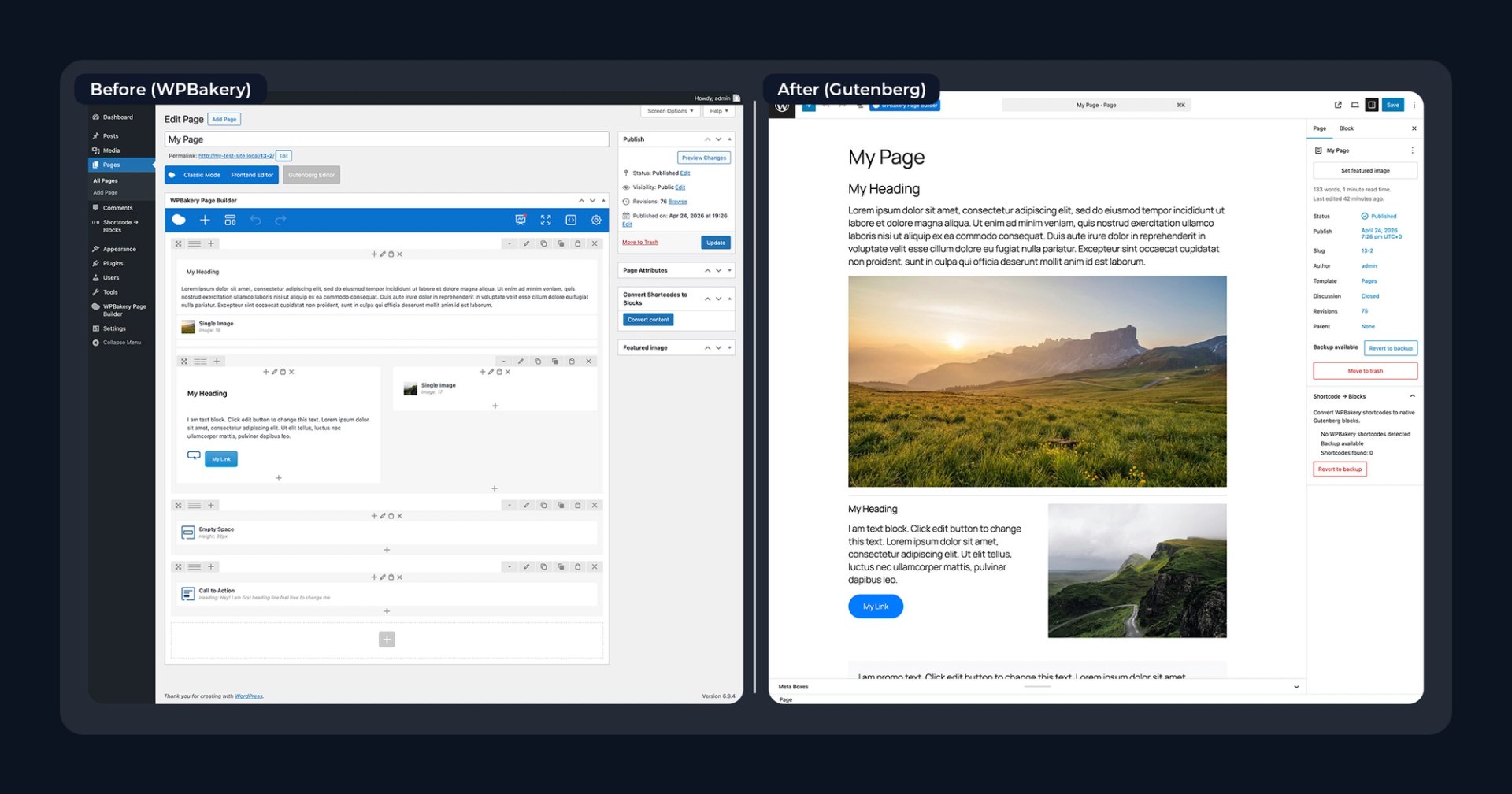
I didn’t set out to build a plugin. I inherited a website. It was a large, legacy WordPress site built mostly with WPBakery Page Builder, with hundreds of pages relying on shortcodes for layout and content. The goal was to migrate everything to the native WordPress Block Editor.
Once I opened a few pages, it was obvious this wasn’t going to be a simple update. Every page was filled with nested vc_ shortcodes controlling rows, columns, text, and design elements. At that point, the challenge became clear: this wasn’t just a redesign. It was a full WPBakery to Gutenberg migration.
Why converting WPBakery to Gutenberg is difficult
WPBakery stores content as shortcodes. Gutenberg uses structured blocks. That difference is what makes migration difficult. Instead of clean, editable content, WPBakery pages often look like this:
[vc_row]
[vc_column]
[vc_column_text]Content here[/vc_column_text]
[/vc_column]
[/vc_row]
When WPBakery is disabled, those shortcodes don’t translate into usable layouts inside Gutenberg. You’re left with raw markup that needs to be rebuilt manually. That’s why most guides recommend rebuilding each page from scratch.
The reality of manual WPBakery migration
Manually converting WPBakery pages to Gutenberg is time-consuming. Each page requires rebuilding layouts with blocks, copying and pasting content, recreating buttons, images, and spacing, and testing the layout on the front end.
Depending on the complexity, some pages can take hours. When you multiply that across dozens or hundreds of pages, the migration quickly becomes a major project instead of a simple update.
At a certain point, I assumed there had to be a tool to automate this process. WPBakery has been widely used for years, and many sites are now moving to Gutenberg. It seemed reasonable that a reliable WPBakery to Gutenberg converter would already exist.
After digging through plugins, forums, and guides, I kept running into the same answer: There wasn’t one. Most solutions focused on rebuilding, not converting.
Building a WPBakery to Gutenberg converter
The turning point came from looking at WPBakery content differently. The content itself isn’t unusable. It’s structured, just in shortcode form. Rows, columns, text blocks, buttons, and images all exist. They’re just wrapped in a format Gutenberg doesn’t recognize.
So instead of asking how to rebuild pages, I started asking a different question. How do you convert WPBakery shortcodes into Gutenberg blocks? That shift made the problem feel solvable.
The plugin started as a way to speed up manual work. Instead of rebuilding layouts page by page, it was designed with four goals in mind:
- Parse WPBakery shortcodes
- Map them to equivalent Gutenberg blocks
- Preserve content and structure
- Allow safe conversion with a revert option
It was designed to work one page at a time so you could review changes and stay in control of the process.
Why a perfect 1:1 conversion isn’t possible
One important thing to understand is that WPBakery and Gutenberg are fundamentally different systems. Because of that, a perfect 1:1 conversion doesn’t exist. Even when elements look similar visually, they’re built differently behind the scenes. Trying to match everything exactly leads to fragile results.
Instead, the goal is practical. Convert WPBakery content into Gutenberg blocks in a way that works in production. That means preserving layout as closely as possible, keeping all content intact, and producing a usable, editable page.
From there, you can refine and improve the design inside Gutenberg.
A better way to migrate from WPBakery to Gutenberg
Using a conversion approach changes the migration process completely. Instead of committing to a full rebuild, you can convert and revert pages individually while reviewing for formatting bugs.
This makes it possible to migrate gradually and safely, especially on larger sites.
Ready to get started?
Purchase Pro